 |
ADTF
|
|
ADTF
|
| Plugin Filename | adtf_core.adtfplugin |
|---|---|
| Plugin Description | adtf_core.plugindescription |
| Plugin Name | ADTF Core Plugin |
| License | ADTF Subscription |
| Support Mail | support@digitalwerk.net |
| Homepage URL | https://adtf.dev |
| Plugin Version | 3.99.99 |
|---|---|
| Plugin File Version | 1.0 |
| adtf | 3.99.99 |
| adtf::ucom | 3.1.0 |
| Name | Player |
|---|---|
| CID | adtfdat_file_player.streaming_source.adtf.cid |
| Description | Use this streaming source to play back measurement data from ADTF 3 .adtfdat or ADTF 2 .dat files. |
| Type | Filter |
| Name | Value | Type | Description | Subproperties |
|---|---|---|---|---|
| enable_control | true | tBool | If enabled, then the source will control the playback files of the playback service, i.e. the 'filenames' Property will be used. | Value Range: minimum = maximum = Filename Extension Filter: |
| filenames | cFilenameList | If 'enable_control' is activated, these files will be opened via the playback service. | Value Range: minimum = maximum = Filename Extension Filter: ADTF DAT files (*.dat *.adtfdat),All files (*) | |
| ignore_missing_streams | false | tBool | If enabled, the source will create output Pins even if there is no corresponding stream in the ADTF DAT File. | Value Range: minimum = maximum = Filename Extension Filter: |
| load_referenced_files | true | tBool | If enabled files listed in the referenced file extension of the specified files will be loaded as well. | Value Range: minimum = maximum = Filename Extension Filter: |
| log_channels/default/fatal_action | 2 | tUInt32 | The default action when a fatal error is reported. | Value List: Stop session = 2 Shutdown ADTF = 3 Abort to crash handler = 4Value Range: minimum = maximum = Filename Extension Filter: |
| log_channels/default/log_level | 35 | tUInt8 | The log level for this channel. | Value List: None = 0 Error = 10 Warning = 20 Info = 30 Detail = 35 Dump = 40 All = 255Value Range: minimum = maximum = Filename Extension Filter: |
| log_channels/default/recoverable_action | 0 | tUInt8 | The action to perform when a recoverable error is reported. | Value List: Log only = 0 Treat as fatal = 1Value Range: minimum = maximum = Filename Extension Filter: |
| reader_id | cString | Use this property to force the use of a specific reader implementation. If empty, the first capable reader will be used. | Value Range: minimum = maximum = Filename Extension Filter: | |
| start_on_startup | true | tBool | If enabled, playback will be started when Runlevel 'RL_Running' has been reached. | Value Range: minimum = maximum = Filename Extension Filter: |
| Dynamic Input Pins | false |
|---|---|
| Dynamic Output Pins | true |
| Dynamic Input Binding Pins | false |
| Dynamic Output Binding Pins | false |
| IID |
|---|
| playback_service.services.adtf.iid |
enable_control property. See also Offline Mode and Clock Handling for information about timing and playback mode.
The ADTF File Library provides some built-in readers (e.g. to read adtfdat, sorted_by_timestamps, time_extension, etc.) that are used by the Player .
For more details about possible adjustments, please use adtf_dattool with --inspect-builtins option.
Furthermore with the adtfdat_processing library from ADTF File Library it is possible to extend the Player and Playback Service by creating new reader implementations and ship them within adtffileplugins.
For more information please have a look at the ADTF File Library and its reader examples.
These adtffileplugins can be announced within the .adtfenvironment file and are recognized by the Session Manager. Within the System Editor of the ADTF Configuration Editor it is possible to add these adtffileplugins to your session and can be used by the Player afterwards.
The Create pins from playback files... dialog provides functionality to select and configure these built-in readers and extensions.
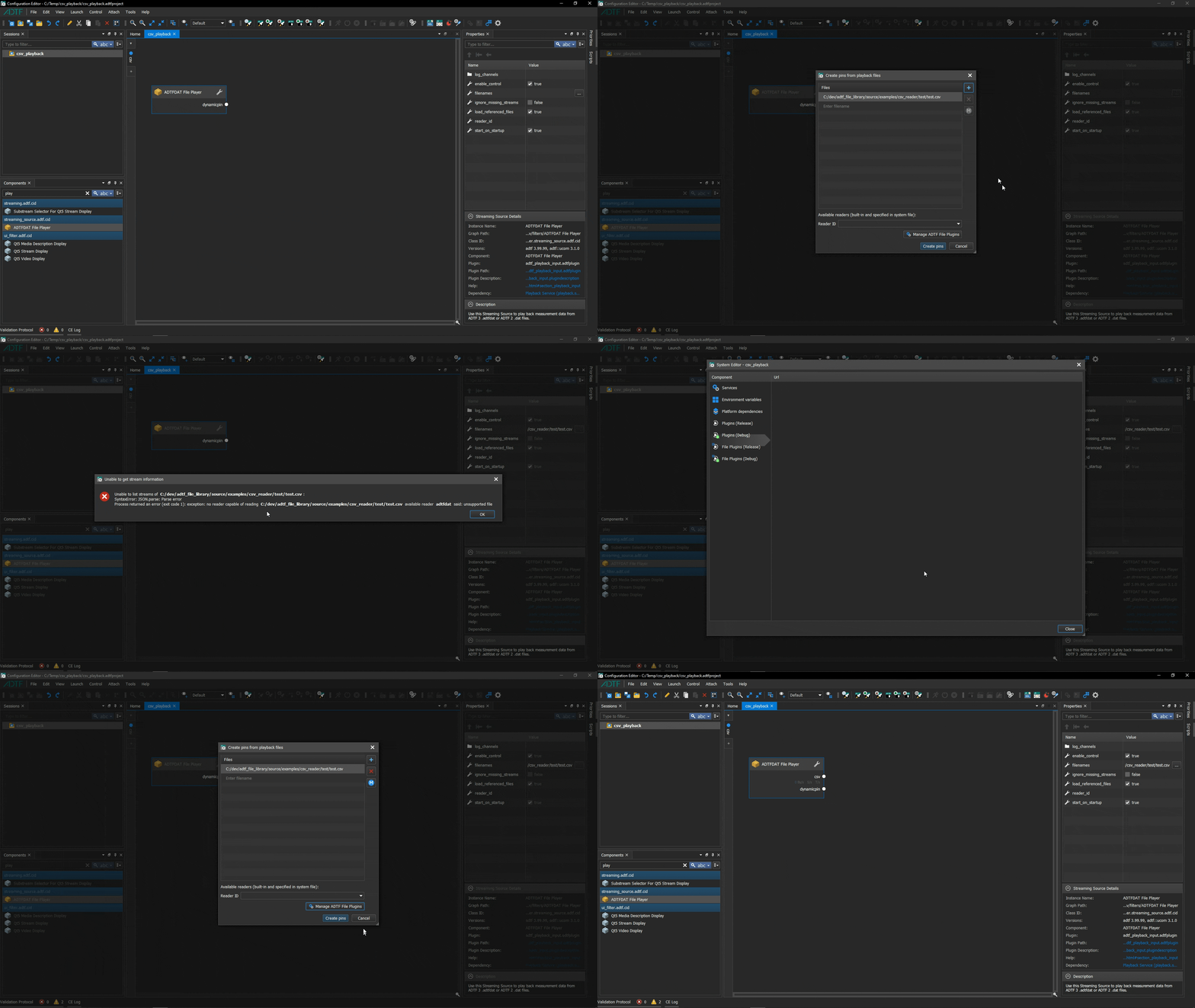
You can combine these (proxy) readers with each other to build a chain of readers. Normally the reader chain is built automatically where each file/url is opened with the first reader implementation that supports it. If you want to explicitly specify which reader implementation is used, specify its id in the reader_id property of the Player. To specify the worker/delegate reader used by a proxy reader, set the id in the worker_reader property.
In some recordings, sample timestamps may not be monotonically increasing, although the original item order is correct. This typically indicates a defect in the recorded data.
After choosing the sample_timestamp_sanitizer reader in the Create pins from playback files... dialog of the Player, the reader adjusts sample timestamps that decrease by setting them to the last highest observed value. The original order of items is preserved.
sorted_by_timestamps reader must be used instead. 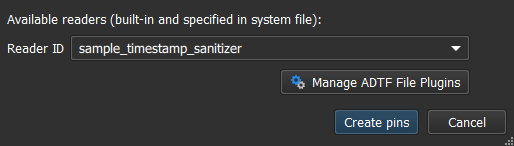
For more details about possible adjustments, please use adtf_dattool with --inspect-builtins option.
Per default, the Player / Playback Service uses the chunk timestamp for replay, which represents the instant when a sample has been received at the Recorder. This is the common use case where you record your data and want to proceed in a different processing setup at exactly this tapping point and replacing this pin (sample stream) with the data from the recording file.
Another option is that you want to resimulate your recording scenario (e.g. for regression tests or virtual environments) and process the data in the same order as it was percieved at the original sources. In this case, you can change the behavior to use the sample timestamp instead of chunk timestamp, which represents the instant when a sample has been arrived/measured at the original source.
The sorted_by_timestamps reader reorders items within a sliding window based on their timestamps.
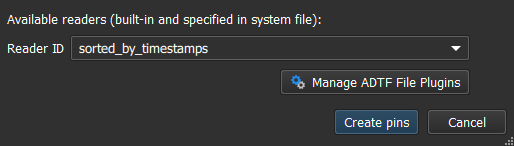
sample_timestamp_sanitizer reader instead. After choosing the sorted_by_timestamps reader in the Create pins from playback files... dialog of the Player, new properties will be created in the Player for this reader configuration.
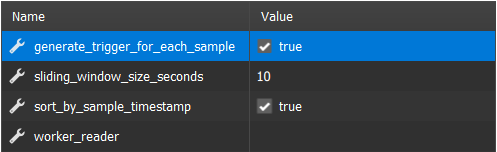
For more details about possible adjustments, please use adtf_dattool with --inspect-builtins option.
In many situations processing should continue for a specific period of time after playback has been finished. This can be achieved by providing dummy samples after all input has been processed.
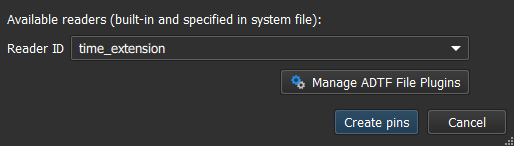
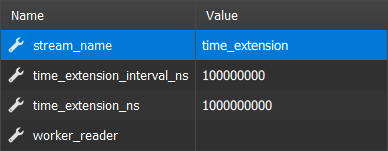
After choosing the time_extension reader in the Create pins from playback files... dialog of the Player, new properties will be created in the Player for this reader configuration.
For more details about possible adjustments, please use adtf_dattool with --inspect-builtins option.
When using the built-in streams_to_substreams reader, by either choosing it in the Create pins from playback files... dialog or via setting it in the reader_id property of either the Player or Playback Service, it is possible to merge all data into a single stream and thus provide a generic way to visualize data, e.g. with the Qt5 Stream Display (from ADTF Qt5 package).